

Calling AMD’s Ryzen AI Max+ chips well-received in the mini-PC market is probably an understatement. The high-performance Zen 5 chips have proven particularly adept in this market thanks to a combination of CPU and iGPU performance, plus high memory capacity and bandwidth from LPDDR5X. Especially in this era of AI development, software developers looking to test and run inference locally have been quick to snap up the mini-PCs.
One result of this popularity is that AMD’s many mini-PC partners have been addressing a market large enough (and with margins big enough) to justify working through multiple generations of mini-PC designs within the Ryzen AI Max family’s lifecycle. A prime example is GMtec, one of the industry’s better-known mini-PC vendors. Last year the company released its first Ryzen AI Max+ box with the EVO-X2, and this year they are back again with a new and very different Ryzen AI Max+ mini-PC design that they are dubbing the EVO-X3.
| GMKtec EVO-X3 Key Specs (As Configured) | |
| Processors | AMD Ryzen AI Max+ 395, 16C/32T (5.1GHz) |
| Operating System | Windows 11 Pro |
| Memory | 128GB LPDDR5X-8000, Soldered |
| Drive Bays | 1x M.2 2280 PCIe Gen4 x4 (Lexar NQ790 4TB) 1x M.2 2280 PCIe Gen4 x4 (Empty) |
| GPU | Radeon 8060S Graphics (40 CUs) |
| PSU | 230W External PSU |
| Form Factor | Mini-PC |
| Dimensions | 353 x 186 x 41 mm (13.9 x 7.3 x 1.6 in) |
| Weight | 2.3kg (5.07 lbs) |
| Wireless | Wi-Fi 7 (2×2) + Bluetooth 5.4 (MT7925) |
| Color | Gray & Neon Green |
| Ports | Front: 1x USB-A 5Gbps, 1x USB-A 480Mbps, 3.5mm Combo Audio Jack Rear: 2x HDMI 2.1, 1x USB-C 40Gbps, 1x USB-A 10Gbps, 1x 2.5GbE LAN (RJ45, RTL8125BG), 1x OCuLink (Gen4 x4) |
The EVO-X3 stands out in a crowded mini-PC market for a few reasons. First and foremost, the Ryzen AI Max+ 395 SoC at the heart of the system delivers its AI performance and enables it to tap into 128GB of LPDDR5X memory for its iGPU. The second, and far more unique reason is its connectivity. GMKtec has outfitted the system with an OCuLink port, making it a rare Ryzen AI Max system with external PCIe connectivity, and it surpasses even Thunderbolt 4 systems in available bandwidth.
Surprisingly, GMKtec is aiming the EVO-X3 at a pretty broad customer base, even pitching the OCuLink port as a gaming feature for use with an eGPU. In practice, though, it is hard to imagine the system being used as anything other than a productivity desktop, especially since GMKtec even preloads the system with AI development software. That is okay, because the Ryzen AI Max platform has proven well suited for that role.
If you wanted to find the GMKtec EVO-X3 online, here is an Amazon Affiliate link.
GMKtec EVO-X3 External Hardware Overview
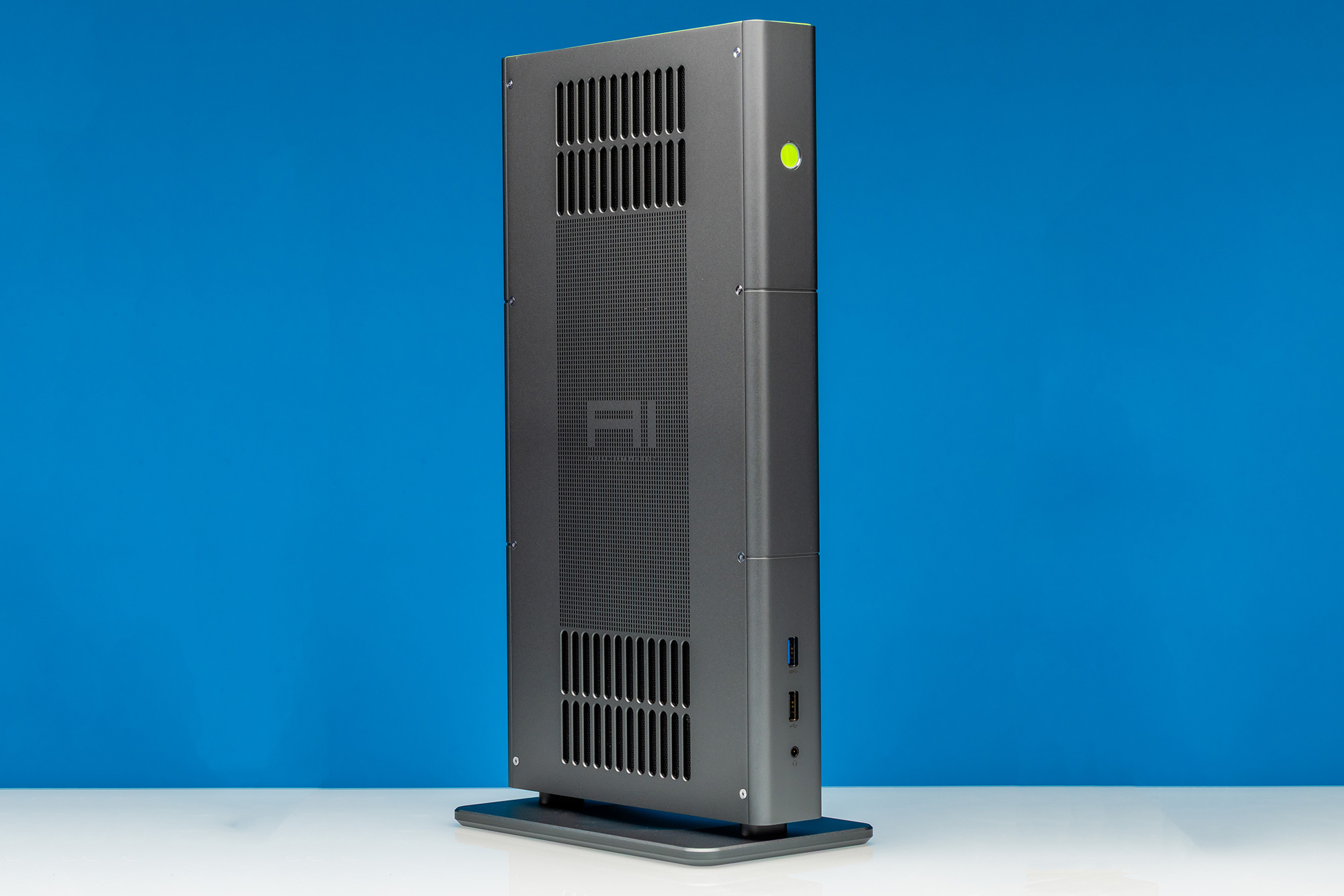
One of the most notable design aspects of the previous iteration, the EVO-X2 mini-PC, was that the system operates upright, a pretty big distinction from the more classic wide-and-low desktop mini-PC form factors. For the EVO-X3, GMKtec seems to have doubled down on this design strategy even more, resulting in a mini-PC that can only be described as a metal monolith. The stange form factor makes more sense once we get inside.
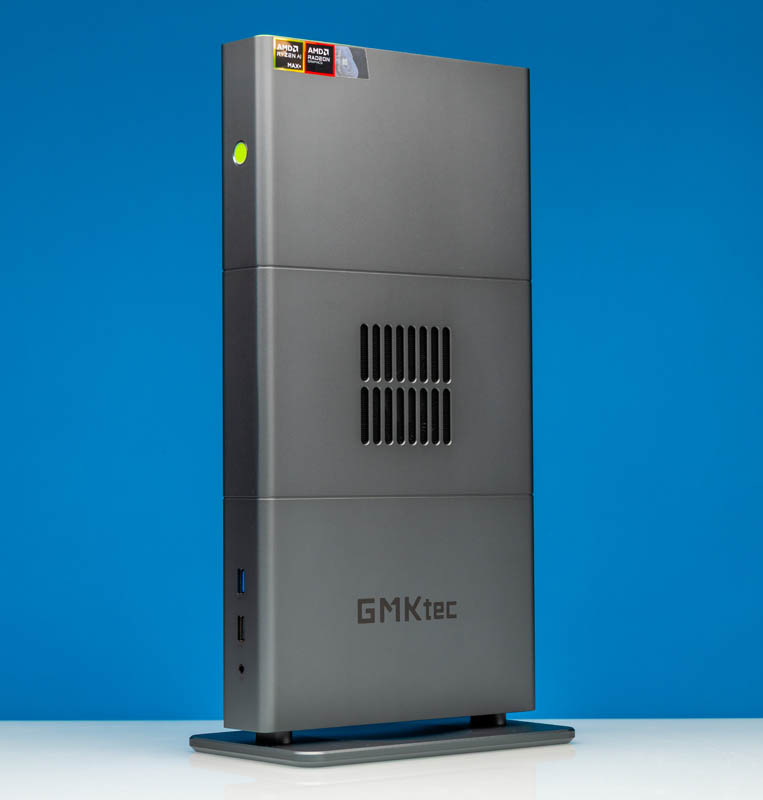
The metal, by the way, is a notable change from the EVO-X2, which notably (and noticeably) featured a plastic chassis. On the other hand, this EVO-X3 is fully metal. The overall monolithic design is even more clearly meant to stand, especially with the (required) base attached.
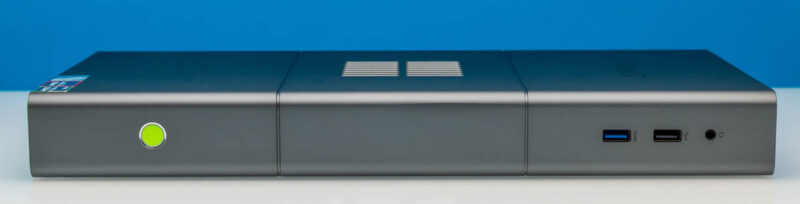
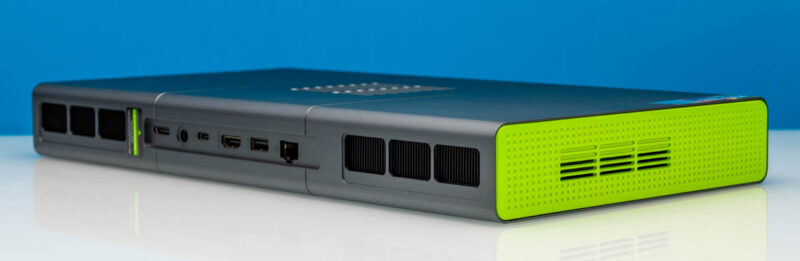
The tall, slim profile does mean that there is very little to the front of the system, though. For the purposes of our article layout (and your browser window), we have laid the mini-PC flat, which goes to show just how thin the 41mm PC is. Despite packing in a high-performance processor, it is not much thicker than a desktop replacement-class workstation laptop.
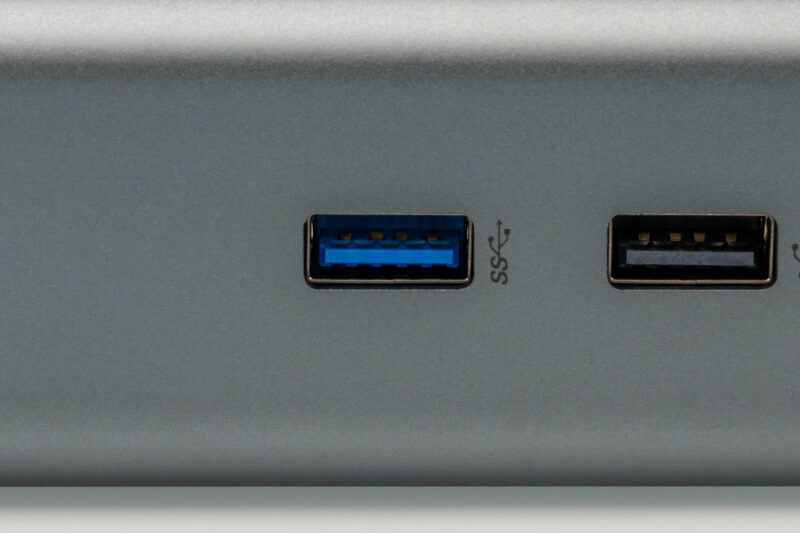
This view also underscores the limited I/O connectivity on the front of the PC, however. Aside from the 3.5mm combo audio jack, GMKtec has placed only two USB-A ports on the front of the system, and only one is a fast 5Gbps USB 3.x port. The second USB-A port is an even slower USB 2.x port, and there is no front-panel USB Type-C connectivity. The system supports plenty of I/O bandwidth, as we will see, but just not in the front.
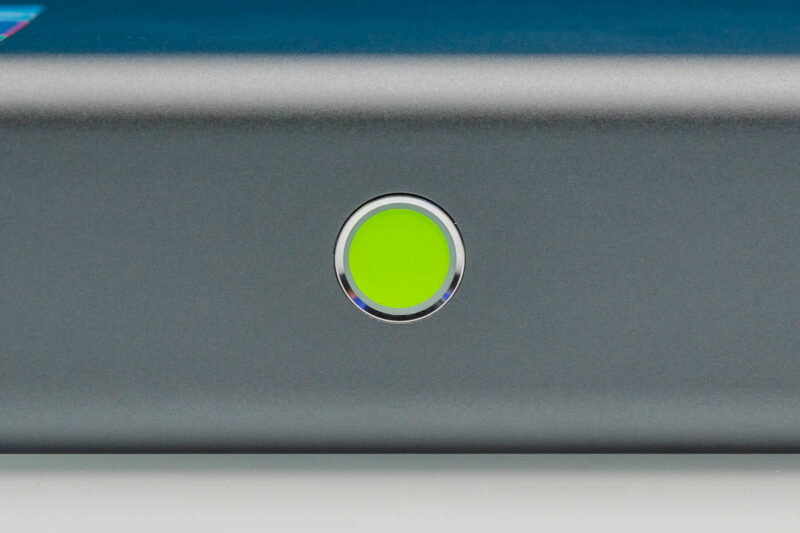
Meanwhile, towards the other end of the system, we find a rather striking neon green power button sitting within the grey metal chassis.
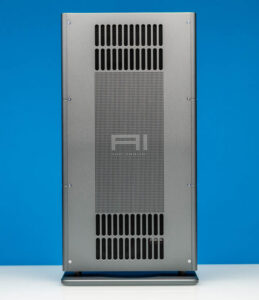
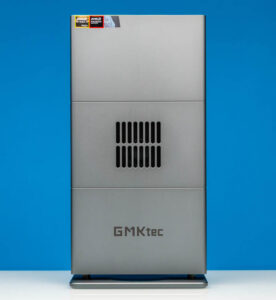
Speaking of aesthetics, the EVO-X3’s standing design is not just a style choice for GMKtec. Both the left and right sizes feature significant ventilation. Meanwhile, if there is any doubt about what the primary market is for this system, the “AI workstation” labeling etched into the left side of the case should remove all doubt.
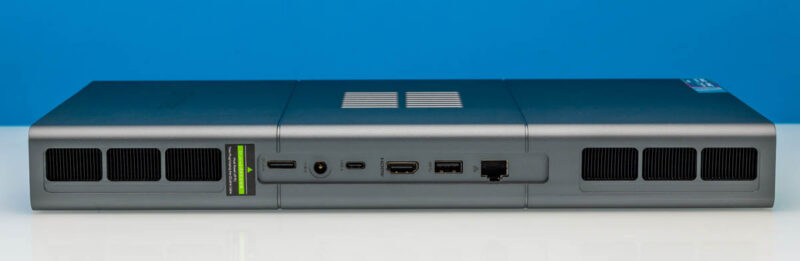
Shifting to the rear of the system, we find much better ventilation with clearly visible heatsinks. More importantly, this is also where the rest of the system’s I/O lives, including its unusual OCuLink port.
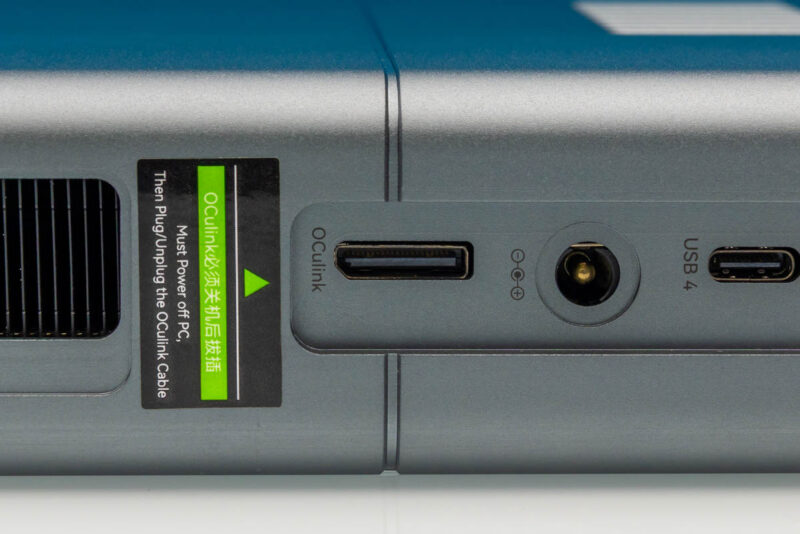
Starting there, GMKtec has opted to route four of the Ryzen SoC’s PCIe lanes to an OCuLink port for directly attaching a device to the system. This port can technically connect any device, but the most common use for OCuLink these days is attaching a dock for an external GPU, making it possible to add a high-end video card (or other accelerator) to the system. The OCuLink specification itself tops out at PCIe Gen4 x4 (or ~64Gbps), so it is not comparable to the amount of bandwidth a full-fledged PCIe slot can offer. With the Ryzen AI Max chips offering only 16 PCIe lanes to begin with (all PCIe Gen4), GMKtec can realistically offer only 4 lanes, since they need the other lanes for other features.
In any case, the drawback to OCuLink as an external port is the same here as it always was: it is not a hot-plug-capable port. That is why GMKtec has put a very explicit sticker here warning users not to plug (or unplug) an OCuLink cable while the system is operating. On that note, credit to the engineer who had the foresight here to put the OCuLink port to the left of the DC power jack, isolating it from the hotplug-capable USB ports.
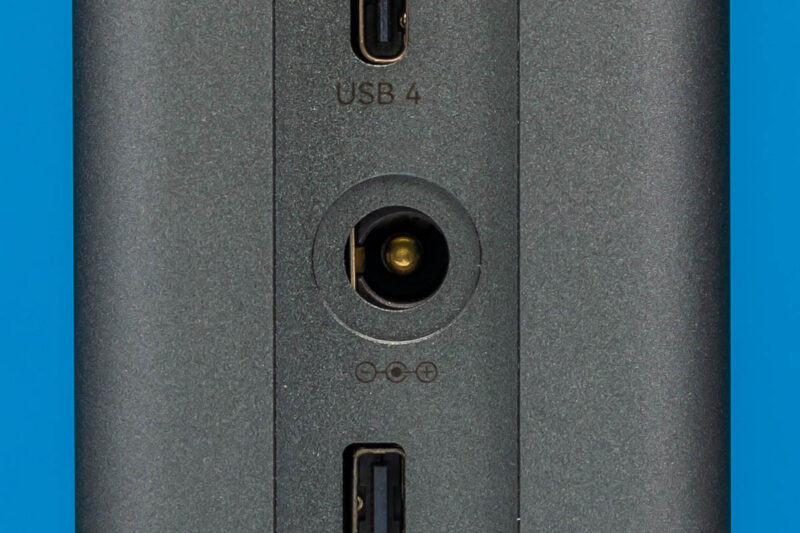
The thin profile of the EVO-X3 means that GMKtec is relying on an external power supply here. At 230 Watts, they technically could have gotten away with a USB-C power supply, but barrel jack units are still a common fixture here.
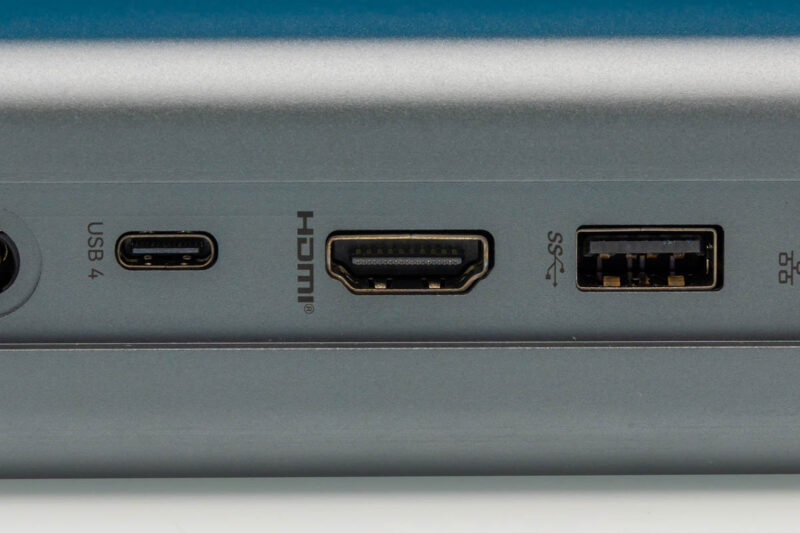
Next is the system’s sole USB-C port. A native feature of the Ryzen AI Max SoC, this is a full 40Gbps USB4 port that also supports DP Alt Mode to double as a display output for the system. In fact, this is the only way to get DisplayPort video out of the X3, as there is also no dedicated DisplayPort output on the system. Otherwise, given GMKtec’s focus on external I/O bandwidth with the X3, it is somewhat surprising to see that they did not include a second 40Gbps USB-C port, as the Ryzen SoC provides for two ports.
To the right, we have the system’s sole dedicated display output: an HDMI 2.1 port. Another native feature of the Ryzen AI Max SoC, there is little reason not to include it here.
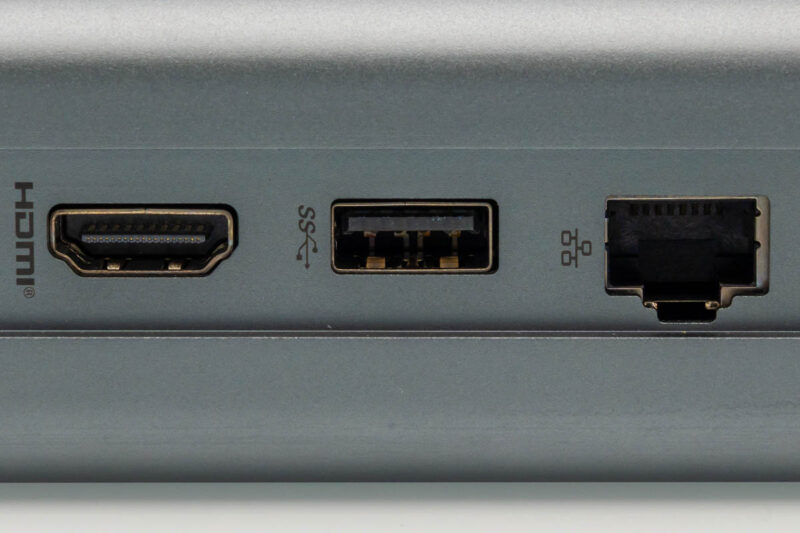
Moving down the line, we find another USB Type-A port. The second (and final) USB port on the rear of the system is a 10Gbps port. Including the earlier Type-C port, this gives the X3 a total of 4 USB ports, which is serviceable, but it falls short compared to most other Ryzen AI Max mini-PCs that offer a few more ports. In practice, it means the OCuLink port and USB-C port are doing a lot of heavy lifting as far as I/O goes, as there simply are not a lot of ports otherwise for plugging in peripherals after you add a mouse and keyboard. There is again a reason for this that we will see inside.
Finally, we have the system’s dedicated Ethernet jack. This is a 2.5GbE port backed by Realtek’s RTL8125BG controller. This is a common enough sight across PCs these days, but for a recently-released Ryzen AI Max system, it is a shame that GMKtec did not use one of Realtek’s newer 10GbE chips, which have become readily available (and relatively cheap) this year. Not including 10GbE is quickly becoming a missed opportunity for AI development-focused PC.
Shifting perspectives once again, here is a shot of what is on top of the X3 when the system is standing. Matching the colorful neon green accent of the power button we saw earlier, the solid green top gives the system a distinct two-tone color scheme. And perhaps a smidge of irony for the Ryzen-powered system, since it is much closer to NVIDIA’s shade of green than AMD’s.
In any case, the top features another airflow vent as well. So, like virtually every other side of the system, it needs to be kept clear for cooling purposes. This also serves as the one significant non-metallic portion of the system for cleanly routing the wireless radio antennas.
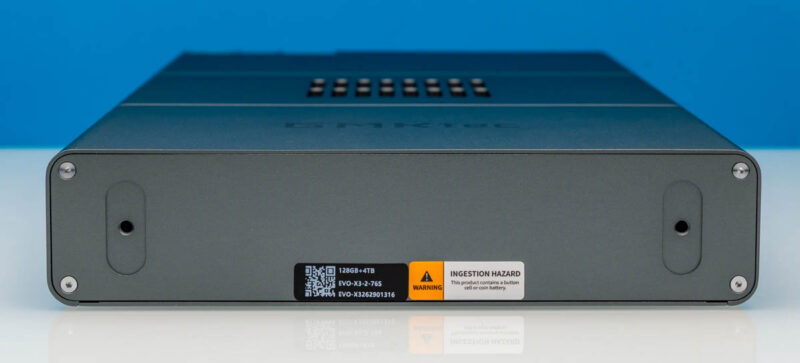
Last but not least, here is a look at the bottom of the system. Normally hidden by the system’s base, this is where GMKtec has placed the product stickers, as well as the means to access the system’s internals.
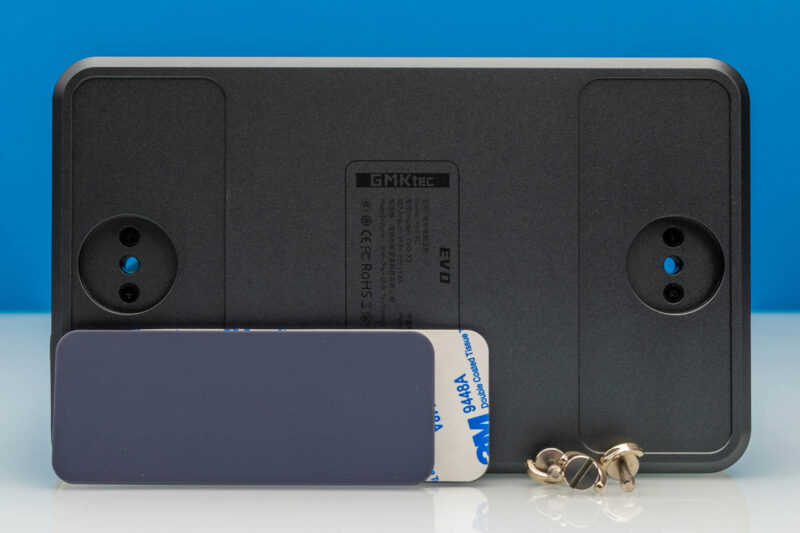
Looking at the base itself, interestingly, GMKtec has opted to etch the full system information into the base, including its power specifications and regulatory trademarks. This ensures that the information is visible without dismantling the system, but it means that the base is an integral part of the system for more than just holding up the monolithic mini-PC.
The base relies on a pair of screws to secure it to the bottom of the mini-PC’s chassis. GMKtec has also taken care to include rubber feet on the base to prevent slippage. Unfortunately, these feet are not built into the base, and in fact have to be removed to access the screws that hold the base on. Which means this is not a design that is meant to be opened more than a couple of times, as it will wear out the adhesive on the feet.
Now that we have taken a look at the outside of the EVO-X3, let us dig into the guts of the system.

Unfortunate that they did not give y’all the 495 SKU. The 395 is pretty well understood.
Ryzen AI Max Pro 400 just recently started shipping. So we’re still a bit too early for reviews of production hardware.
Seems like the motherboard is from this laptop design — the port arrangement on the back is identical. Likely other brands are selling the same design.
Idle power usage?
Great read! The 128GB RAM on this mini-PC is insane for running local AI models. Glad to see AMD really delivering on performance and memory bandwidth for developers. Makes me want to try one out!